
angular2学习-ng2标签
发布时间:2017-01-23责任编辑:朱明 浏览:1580
公司(团谱科技)使用angular2技术进行开发有一段时间了,一边摸索一边进步,下面为学习angular2标签的基础知识整理。
一、 效果图
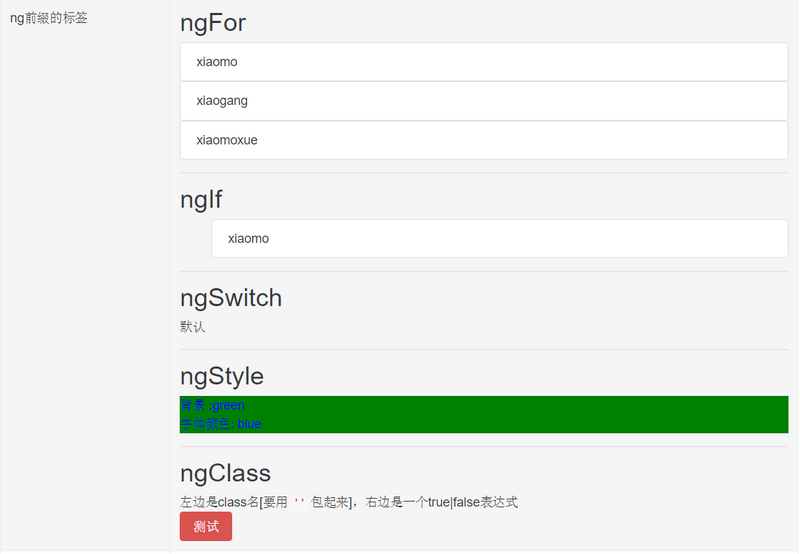
二、 指令解读
0. 组件
主要就是定义了一些数据用于测试
import {Component} from '@angular/core';
@Component({
selector: 'ng-tag',
styles: [require('./NgTag.scss')],
template: require('NgTag.html')
})
export class NgTagComponent {
list:any;
ngSwitchList:any;
ngStyleList:any;
constructor() {
this.list = [{
'name': 'xiaomo'
},{
'name': 'xiaogang'
},{
'name': 'xiaomoxue'
}];
this.ngSwitchList=[
'xiaomo',
'xiaoming'
];
this.ngStyleList={
'color':'blue',
'backgroundColor':'green'
};
};
}
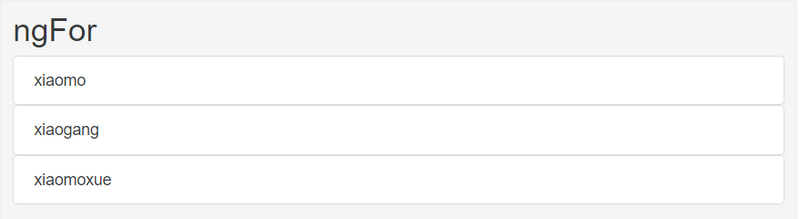
1. ngFor
<ul *ngFor="let item of list">
<li>{{item.name}}</li>
</ul>
效果图:
2. ngIf
在组件中定义了一个list
this.list = [{
'name': 'xiaomo'
},{
'name': 'xiaogang'
},{
'name': 'xiaomoxue'
}];
在循环这个数组对象的时候去比对item.name 如果是 xiaomo,就 出现 ngIf中的内容
<ul *ngFor="let item of list">
<li *ngIf="item.name==’xiaomo'">哇,我在list列表中找到了
<span class="label label-info">{{item.name}}</span></li>
</ul>
效果图:

3. ngSwitch
在组件中定义了一个方法,可以设置选中的值给myVal
myVal:number = 0;
changeValue($event):void{
console.log($event.target.value);// 输出选中的值设给myVal
this.myVal = $event.target.value;
}
有一组单选按钮,选中是myVal会改变,ngSwitch会去循环每个case,如果找到了就显示那条case中的数据,不然显示default中的数据
<div>
<h2>ngSwitch</h2>
<input name="myVal" type="radio" title="" value="1" (click)="changeValue($event)">1
<input name="myVal" type="radio" title="" value="2" (click)="changeValue($event)">2
<input name="myVal" type="radio" title="" value="3" (click)="changeValue($event)">3
<input name="myVal" type="radio" title="" value="4" (click)="changeValue($event)">4
<input name="myVal" type="radio" title="" value="5" (click)="changeValue($event)">5
<hr>
<span [ngSwitch]="myVal">
<span *ngSwitchCase="'1'">ONE</span>
<span *ngSwitchCase="'2'">TWO</span>
<span *ngSwitchCase="'3'">THREE</span>
<span *ngSwitchCase="'4'">FOUR</span>
<span *ngSwitchCase="'5'">FIVE</span>
<span *ngSwitchDefault>other</span>
</span>
</div>
4. ngStyle
这里的样式的值都是从组件中取出来的,也就意味着它可以动态,不过建议是封装成class,也就是ngClass
<div
[ngStyle]="{'background-color': ngStyleList.backgroundColor,'color':ngStyleList.color}" [style.font-size]="30">
背景 :{{ngStyleList.backgroundColor}} <br/>
字体颜色: {{ngStyleList.color}}
</div>
效果图:

5. ngClass
左边是class名[要用''包起来],右边是一个true|false表达式
<button [ngClass]="{'btn-danger': ngStyleList}">测试</button>
效果图:

诚信工作室 供稿
 关注微信公众号
抵制不良游戏,拒绝盗版游戏。注意自我保护,谨防受骗上当。适度游戏益脑,沉迷游戏伤身。合理安排时间,享受健康生活。






 公安部备案号 37010102000609